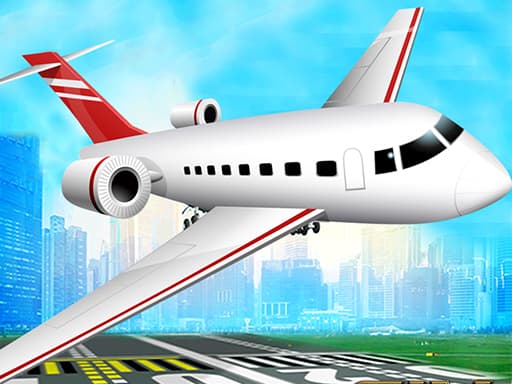





About Aircraft Flying Simulator
Your goal in Aircraft Flying Simulator is to fly a realistic plane and land it safely. The reward is the flight itself, with a spin over the countryside below you as you go.
The game is set in a 3D view. You take off, cruise over the land, and bring the plane back down to the ground. A safe landing is the moment the round comes together.
Think of it as a calm way to enjoy a plane ride. You decide when to climb, turn and come down.
How to play
Take off from the ground with the down arrow key. Once in the air, steer left and right to change direction. Adjust your speed with the speed bar. When you are ready, use the up arrow key to land. Bring the plane down safely to finish the flight.
Controls
- Down Arrow
- take off
- Up Arrow
- land
- Left and Right Arrows
- change direction
- Speed bar
- drag up to speed up, drag down to slow down
Tips
- Build up a steady speed on the ground before you try to lift off.
- Make small turns with the left and right keys instead of sharp ones.
- Slow down gradually with the speed bar as you get close to the ground.
- Take a gentle spin over the countryside first to get a feel for the plane.
Aircraft Flying Simulator: questions and answers
How do I take the plane off the ground?
Press the down arrow key to take off. Use the speed bar to build enough speed first, so the lift is smooth.
What do the left and right arrow keys do?
They steer the plane in each direction. Use small, gentle presses to keep your flight path smooth.
How do I slow the plane down before landing?
Drag the speed bar downward to reduce speed. Slowing gradually makes the landing easier and safer.
Aircraft Flying Simulator is a free online game playable in your browser on Poki.game. It works on desktop computers, tablets and mobile phones, with no download or registration needed.