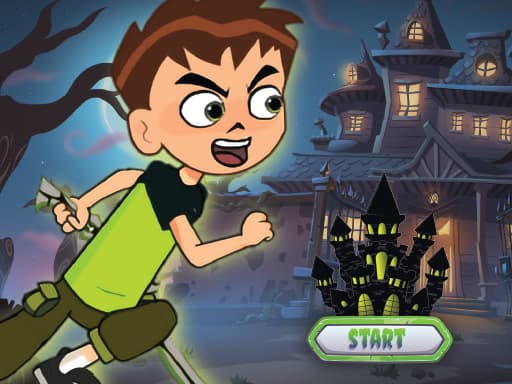






About Ben 10 Ghost House Adventure
In Ben 10 Ghost House Adventure, you explore a haunted house as Ben. Your goal is to move through the house and get past its dangers while you play.
The game sits in the Adventure category. Ben moves through the spooky rooms, and you control him with the arrow keys or the on-screen buttons. Pressing Z is the action key for when you need to do something in the scene.
Take your time in each room. Keep an eye on where Ben can go and what he can use. Moving steadily helps you find your way forward.
How to play
Move Ben through the ghost house with the arrow keys or the on-screen buttons. Use the Z key for actions when you are close to something you can interact with. Explore each space carefully and keep moving forward through the house as you go.
Controls
- ↑←↓→on-screen buttons
- move Ben
- Z
- perform an action
Tips
- Move slowly at first to learn how Ben responds to each key.
- Press Z when you stand near something to see what it does.
- Look around each room before you head to the next one.
- If you are not sure where to go, try the on-screen buttons instead.
Ben 10 Ghost House Adventure: questions and answers
What does the Z key do in Ben 10 Ghost House Adventure?
The Z key is the action key. Press it when Ben is near something you can interact with in the house. It is the main way to act in the scene.
Can I play with the on-screen buttons instead of the keyboard?
Yes. The game lets you move Ben with the virtual buttons on screen, so you can use them if you prefer not to use the arrow keys.
Which way should Ben move through the ghost house?
Use the arrow keys or the on-screen buttons to walk Ben through each room. Explore the space, then move on to the next area as you go.
Ben 10 Ghost House Adventure is a free online game playable in your browser on Poki.game. It works on desktop computers, tablets and mobile phones, with no download or registration needed.