






About PixelArt
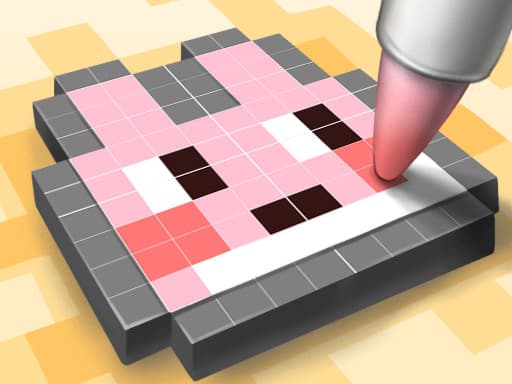
You colour in a small pixel picture one square at a time. The game is about careful placement of each colour, so your picture matches the design.
It is a calm, relaxing activity that asks you to match colours and focus on accuracy without pressure. Taking a short break with it can help you settle down after a busy day.
Working slowly and steadily makes the best results. Each click adds one square, so small, deliberate clicks build the image bit by bit.
How to play
Click on the pixel grid to draw. Each click places colour on a square, and you build up the little picture square by square. Take your time and check the colour you are placing. Accuracy matters more than speed, so there is no rush to finish.
Controls
- Click
- draw on a pixel
Tips
- Work on one small area at a time so the picture stays easy to follow.
- Pick a colour, check it against the picture, then click to place it.
- Slow, steady clicks usually give a cleaner finish than fast ones.
- Take a short break whenever you feel your focus starting to drift.
PixelArt: questions and answers
What do I do with each click in PixelArt?
Each click draws on one pixel square. Click the squares one by one to build the picture up.
Do I need to be quick to finish a picture?
No. The game is about careful colour matching and accuracy, so going slowly is fine.
Can PixelArt help me relax?
Yes, it is a calm colouring activity that can help you unwind and take a break from daily life.
PixelArt is a free online game playable in your browser on Poki.game. It works on desktop computers, tablets and mobile phones, with no download or registration needed.