




About Slope City 2
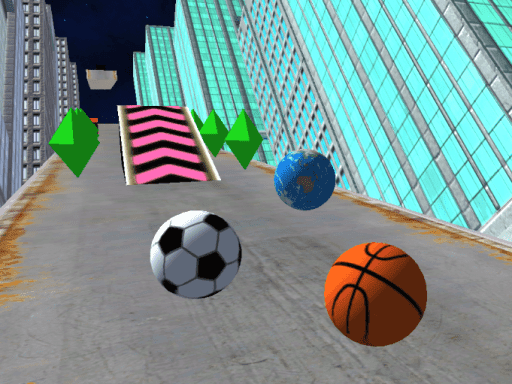
What keeps you going in Slope City 2 is collecting diamonds. Diamonds let you buy special abilities for your ball. You can also spend your progress in the Shop on new ball designs.
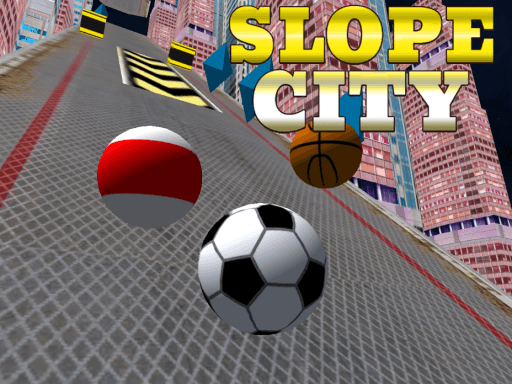
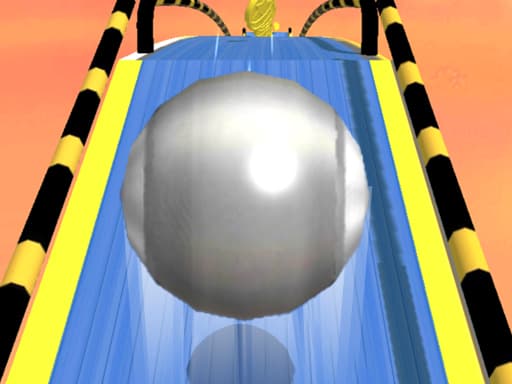
The game is a rolling ball game set in a redesigned city map. Your ball rolls down a slope, and you steer it past the obstacles on the way. Each new episode gives the city a fresh layout to explore.
The ball has a clear shape and bright colours, so it is easy to follow as it speeds along the course. Keep your eyes on the path ahead rather than on the ball itself.
How to play
Roll your ball down the city slope and steer it to avoid obstacles. Collect diamonds along the way to earn currency. Spend your diamonds in the Shop to unlock special abilities or change your ball's design. Each run is a chance to gather more diamonds and try a new look for your ball.
Controls
- ADLeftRight arrow keys
- steer left and right
- Swipe finger leftright
- steer on mobile
Tips
- Look ahead on the slope so you can steer around obstacles early.
- Pick up diamonds whenever the path allows, since they pay for upgrades.
- Visit the Shop between runs to compare ball designs and abilities.
- Small, steady steering works better than sharp, rushed movements.
Slope City 2: questions and answers
What are diamonds used for in Slope City 2?
Diamonds are used to buy special abilities. You collect them on the new city map as you roll down the slope.
How do I change my ball's design?
Open the Shop and choose a new ball design. You can buy balls there and change how they look.
How do I steer my ball?
On PC, press A and D or the left and right arrow keys. On mobile, swipe your finger left or right.
Slope City 2 is a free online game playable in your browser on Poki.game. It works on desktop computers, tablets and mobile phones, with no download or registration needed.