



About Bird Simulator
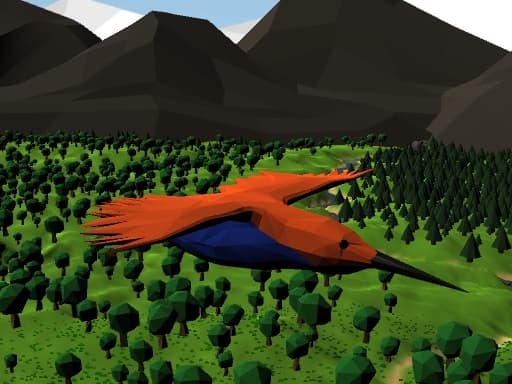
The goal is to fly around as a bird and get the hang of how it moves. You steer, flap, and dive through the air to explore the world.
The bird is physics-based, so its flight responds to how you pitch and turn it. The art is cartoon-styled, and the bird makes bird sounds as you play.
Getting into the air is the first thing to learn. Hold Space and S together to take off, then use the controls to keep your bird flying.
How to play
Use W and S to pitch the bird up or down, and A and D to yaw it left or right. Tap Space to flap and keep height. Hold Left Shift to rush downward. Press Tab or Escape to pause at any time.
Controls
- WS
- pitch the bird up or down
- AD
- yaw the bird left or right
- Space
- flap
- Left Shift
- rush down
- TabEscape
- pause
Tips
- Hold Space and S together to take off from the ground.
- Use small, gentle pitch and yaw changes so the bird stays steady.
- Flap in short taps to gain height without losing too much speed.
- Use Left Shift when you want to drop quickly toward the ground.
Bird Simulator: questions and answers
How do I take the bird off the ground?
Hold Space and S together. The bird will lift into the air, then you can steer with the other keys.
What does Space do in Bird Simulator?
Space makes the bird flap its wings. Tap it to climb or hold your height in the air.
How do I make the bird dive faster?
Hold Left Shift to rush downward. Combine it with a W or S pitch to choose the direction of the dive.
Bird Simulator is a free online game playable in your browser on Poki.game. It works on desktop computers, tablets and mobile phones, with no download or registration needed.